
Tutorial for connecting your iOS and Android apps to offparse
This tutorial covers the 3 simple steps to make in order to update your client apps(Android or iOS) when you already migrated your database from Parse.com to OffParse.com using OffParse migration wizard.
Step 1
Update your app with the latest version of the Parse SDK (at least version 1.12 for iOS, 1.13.0 for Android, 1.6.14 for JS, 1.7.0 for .NET), which have the ability to change the server URL.
For Android add the following dependency to your project (more info at official Parse Platform Github page https://github.com/ParsePlatform/Parse-SDK-Android)
dependencies { compile 'com.parse:parse-android:1.13.1' }
For iOS add the following pod (more info at official Parse Platform Github page https://github.com/ParsePlatform/Parse-SDK-iOS-OSX)
pod 'Parse'
Step 2
You need initialize Parse using the following example.
For Android
Parse.initialize(new Parse.Configuration.Builder(myContext)

    .applicationId("YOUR_APP_ID")
    .clientKey(null)
    .server("http://localhost:1337/parse/") // The trailing slash is important.
    .build()
);
For Objective C
 [Parse initializeWithConfiguration:[ParseClientConfiguration configurationWithBlock:^(id<ParseMutableClientConfiguration> configuration) {
    configuration.applicationId = @"YOUR_APP_ID";
    configuration.clientKey = @"";
    configuration.server = @"http://localhost:1337/parse";
 }]];
For Swift
 let configuration = ParseClientConfiguration {
     $0.applicationId = "YOUR_APP_ID"
     $0.clientKey = ""
     $0.server = "http://localhost:1337/parse"
 }
 // Swift 3.0
 Parse.initialize(with: configuration)
Step 3
Find your applicationId, clientKey and server url in the OffParse Dashboard in the screenshot
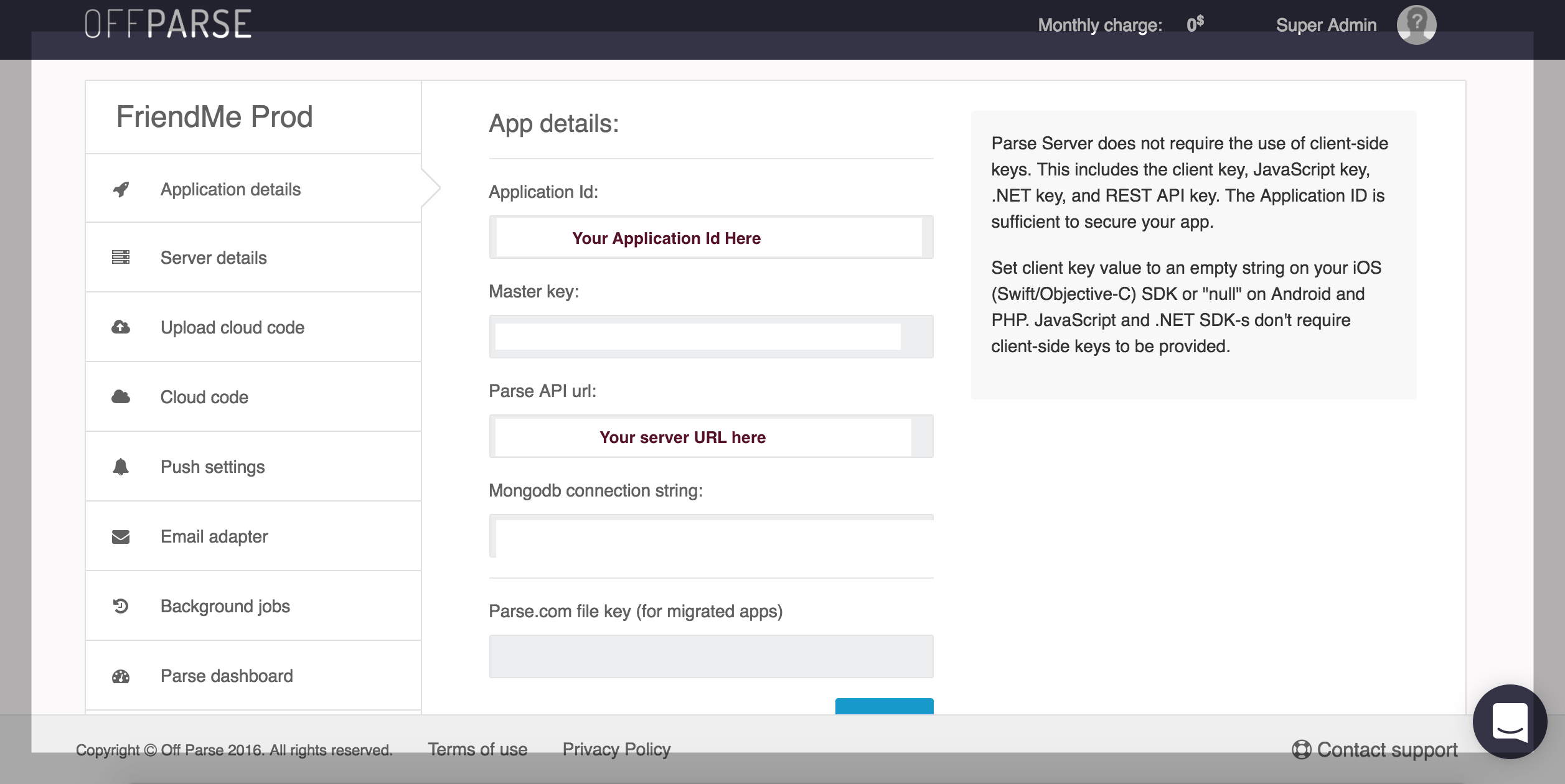
Contact us using a a bar on bottom right if you have any questions
· · ·